Support — Prayer Shield
Pinnacle River LLC
We are glad you are using Prayer Shield. This page collects the fastest ways to get help, manage billing, understand your data, and delete your account when you choose to leave.
Contact us
For bug reports, feature ideas, moderation concerns about Prayer Circles or the Prayer Wall, subscription questions Apple or Google cannot resolve, accessibility feedback, AI-related safety concerns, or anything else about the Service, email us at support@pinnacleriverllc.com .
Include your app version and platform (iOS or Android), a short description of what happened, and screenshots where they help — especially for billing receipts or confusing errors. Please avoid sending passwords or payment card numbers by email.
Subscriptions, renewals, and receipts
Paid plans are processed by Apple or Google. To change or cancel a subscription, update payment methods, or review renewal dates, use the subscriptions area in your Apple ID or Google Play account settings.
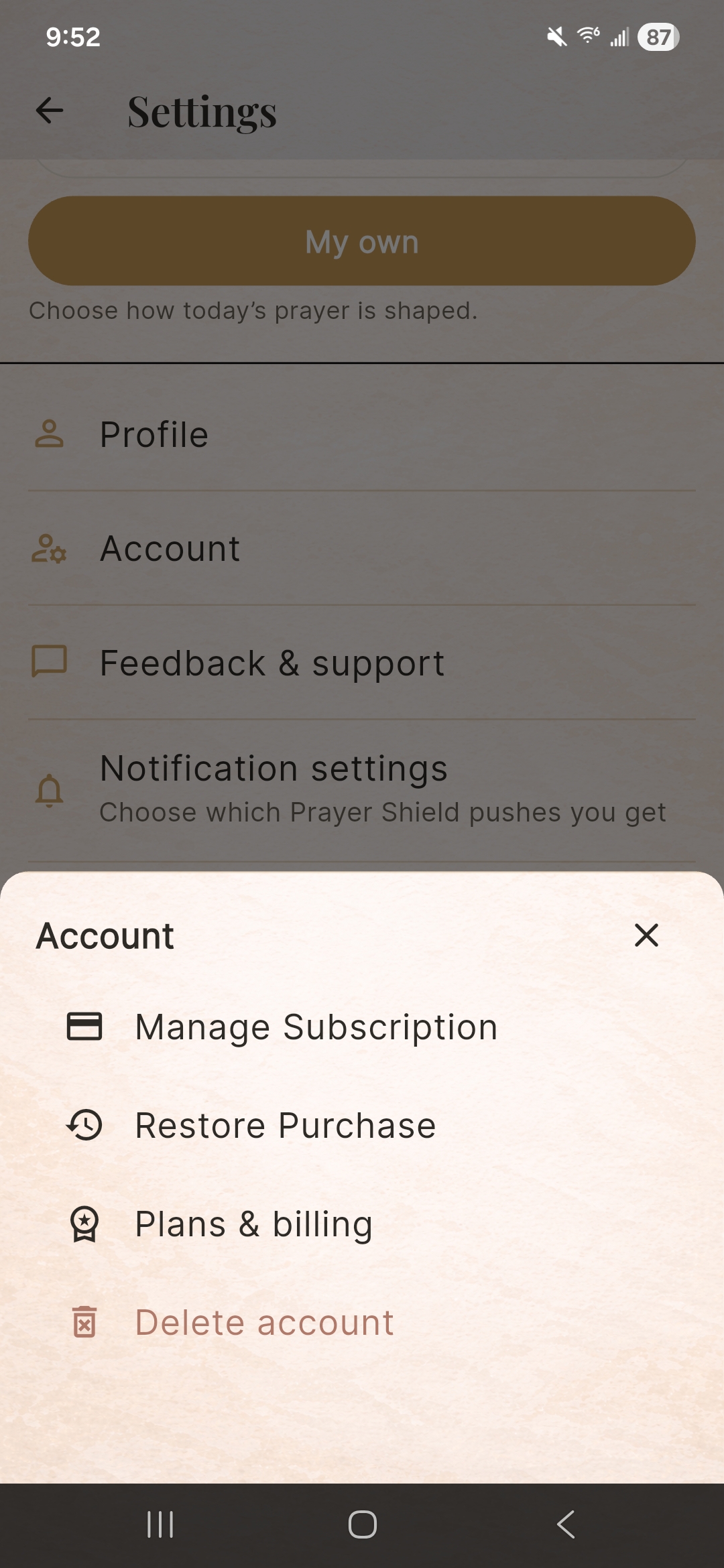
- In Prayer Shield, open Settings, then Account, and use Manage Subscription or Restore Purchase when those options appear.
- Refund requests follow Apple or Google policies; their support teams decide outcomes we cannot override.
Community, Prayer Wall, and safety
Prayer Shield includes shared spaces such as Prayer Circles and Prayer Wall surfaces. Some posts may be visible to people you invite or to broader audiences depending on product settings you choose.
Use in-app blocking and reporting paths where available, and contact support@pinnacleriverllc.com if someone is harassing others, posting scams, or otherwise abusing the Service. For emergencies, contact local authorities or crisis services — Prayer Shield is not an emergency hotline.
Delete your account
You can request account deletion from inside the app. What we remove and what we retain for legal or security reasons is described in the Privacy Policy.
- Open Settings in the app.
- Tap Account.
- Tap Delete account.
- Follow the on-screen instructions.
Privacy and your data
For categories of data we collect, Prayer Circles and Prayer Wall handling, blocking, artificial intelligence subprocessors, international transfers, retention, and privacy rights by region, read the full Privacy Policy.